A Week With Briifd: 15 Minutes, Not Eight Hours
Briifd isn't a tool you live in. Here's what 15 minutes of weekly work actually looks like — check, recover, recap, and a few clicks for the report.
Most software wants you to live inside it. Briifd is built around the opposite.
The PR pros we work with don’t have time to spend their day inside a media monitoring dashboard. They have clients to advise, narratives to shape, briefings to write, calls to take. Software that demands daily attention is software that loses to the inbox.
So Briifd is designed to do its job in the background. The time you spend inside it is measured in tens of minutes per week per client, not hours per day. This post walks through what that actually looks like.
The four moves
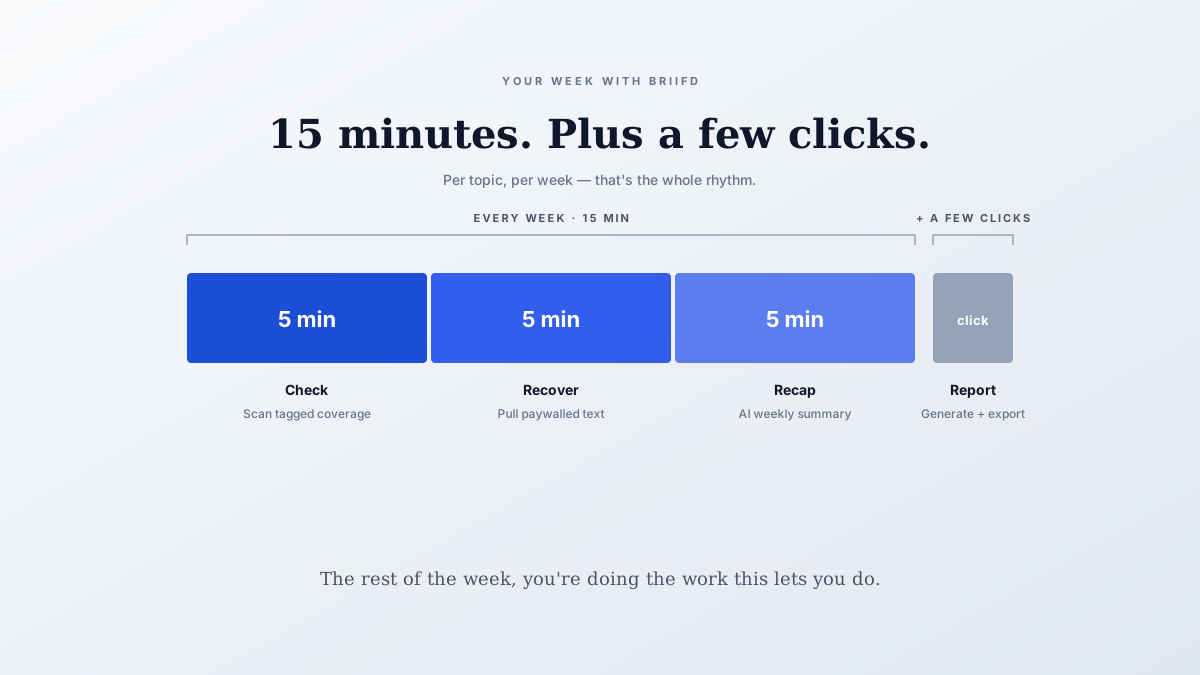
Per topic, per week, the workflow comes down to four actions:
- Check — scan the week’s tagged coverage (≈ 5 minutes)
- Recover — pull full text from any paywalled outlets your monitoring missed (≈ 5 minutes)
- Recap — ask the AI for a short summary of what mattered (≈ 5 minutes)
- Report — generate the client deliverable, if it’s report week (a few clicks)
Total: about 15 minutes per topic per week, plus a few extra clicks on the weeks you ship a report.
Below: what each move looks like.
Move 1: Check (≈ 5 min)
Open your topic. The week’s coverage is already tagged and summarized — the AI handles classification at ingest as articles arrive.
What you do:
- Glance at the dashboard — are the high-priority tags lighting up?
- Spot-check a few articles to confirm the tagging matches your judgment
- Decide if anything needs same-day attention (rare)
What you don’t do:
- Read every article
- Manually classify anything
- Re-sort by hand
The point of the system is that deciding what each article is about has already been done. You’re confirming, not classifying.
Move 2: Recover (≈ 5 min)
Walk down the week’s coverage and look for the gaps your monitoring tool can’t fill — paywalled outlets where only a snippet came through.
What you do:
- Open the article in Chrome (you’re already logged in to the outlet)
- Click the Briifd Chrome extension
- Full text flows back into the topic, gets tagged automatically
This step matters disproportionately. Paywalled outlets — Wall Street Journal, Financial Times, Bloomberg, the trade pubs your clients care about — are typically your highest-value coverage. Without recovery, you’re reporting on snippets and missing the analytical layer.
Move 3: Recap (≈ 5 min)
This is where the AI earns its keep. You’ve got 50, 100, sometimes 200 articles tagged in the topic. You don’t have time to read them all. Ask the AI to.
What you do:
- Open the topic’s saved prompts (or AI chat)
- Run a saved “weekly recap” prompt — something like:
“Summarize this week’s coverage in two paragraphs. Lead with what’s most material. Note any narrative shift or competitive item I should flag.”
- Read the output, edit a sentence or two
- Forward to the client team or paste into your notes
The output is the analyst’s read on the week. Your edit pass adds your judgment. Done in five minutes.
The AI reads 200 articles. You read the AI’s two paragraphs. That’s the trade.
Move 4: Report (a few clicks, only on report weeks)
When it’s time to ship a client deliverable — usually weekly or monthly depending on the cadence — the report builds itself from the same tagged data you’ve already curated.
What you do:
- Open Reports
- Pick a saved template
- Generate
- Export the branded PDF, send
That’s the whole step. The AI structures the deliverable from your tagged coverage and saved prompts; your part is approving and shipping. On non-report weeks, you skip it entirely.
The exception: crisis weeks
When something is breaking — a hostile feature in a major outlet, a competitive narrative gaining traction, a client incident — you’ll be in Briifd more. The narrative trace, the executive coverage pull, the urgent client brief all live there, and they’re worth the extra time.
But that’s the exception, not the rhythm. Most weeks — even in PR — are not crisis weeks.
What it adds up to
Multiply by your client roster. Three clients on weekly cadence is roughly 45 minutes a week of Briifd time. Report weeks add a few clicks per client — call it five extra minutes total. You’re under an hour a week to manage three coverage programs end-to-end.
Compare that to the manual alternative: hours per client per week sorting and classifying coverage by hand, plus a multi-hour analyst project per client per month for reports. The math isn’t subtle.
Briifd buys you most of your week back.
What isn’t in the workflow
Notice what isn’t in the four moves:
- “Read every article” — the AI does that
- “Sort and tag by hand” — the AI does that, you spot-check
- “Write the brief from scratch” — the AI drafts, you edit
- “Assemble the report” — the AI structures, you finalize
That’s the right division of labor. Your time goes to interpretation and judgment. The mechanical work doesn’t need a human.
If you want the day-by-day onboarding plan that gets you to this rhythm, see the first-week checklist.
Curious what 15 minutes a week with Briifd would look like for your coverage? Get started free — no credit card required.
Try Briifd on your own coverage
Free tier — no credit card, get started in a few minutes.
Related reading
How AI Tagging Works (and Why It Matters for Your Reports)
A peek under the hood at how Briifd turns 200 articles into a structured, searchable, reportable dataset — without flattening the nuance that matters.
TemplatesYour First Week With Briifd: A Checklist
A day-by-day plan for getting your first client onboarded, tagged, and producing reports — without overhauling your existing stack.
Case StudiesCase Study: Mapping the Blame in Healthcare Cost Coverage
How a Midwest hospital coalition uses custom AI tagging to track who gets blamed for healthcare costs — and why generic monitoring tools couldn't measure that.